How to Win the Ticketmaster War
Ever wonder how some people are able to get tickets to all of the hottest shows? How, despite queues being random, you keep ending up ticketless?
That’s because Ticketmaster isn’t random; it’s a skill ladder. Most people think buying tickets is about luck, when luck is only a tiny piece of the game. In reality, it’s a learnable skill. It’s a skill that anybody can master with enough practice and determination.
I’ve put together the definitive guide on mastering Ticketmaster to help you get the tickets for the concerts you want the most. This is a guide on how to use the platform to its fullest advantage by teaching you:
- How Ticketmaster works
- The technical tricks that give you an edge
- The prep work and oversights people commonly make
- The psychology of the sale
- The most gatekept secrets
- What scalpers pray you never learn
The iceberg format
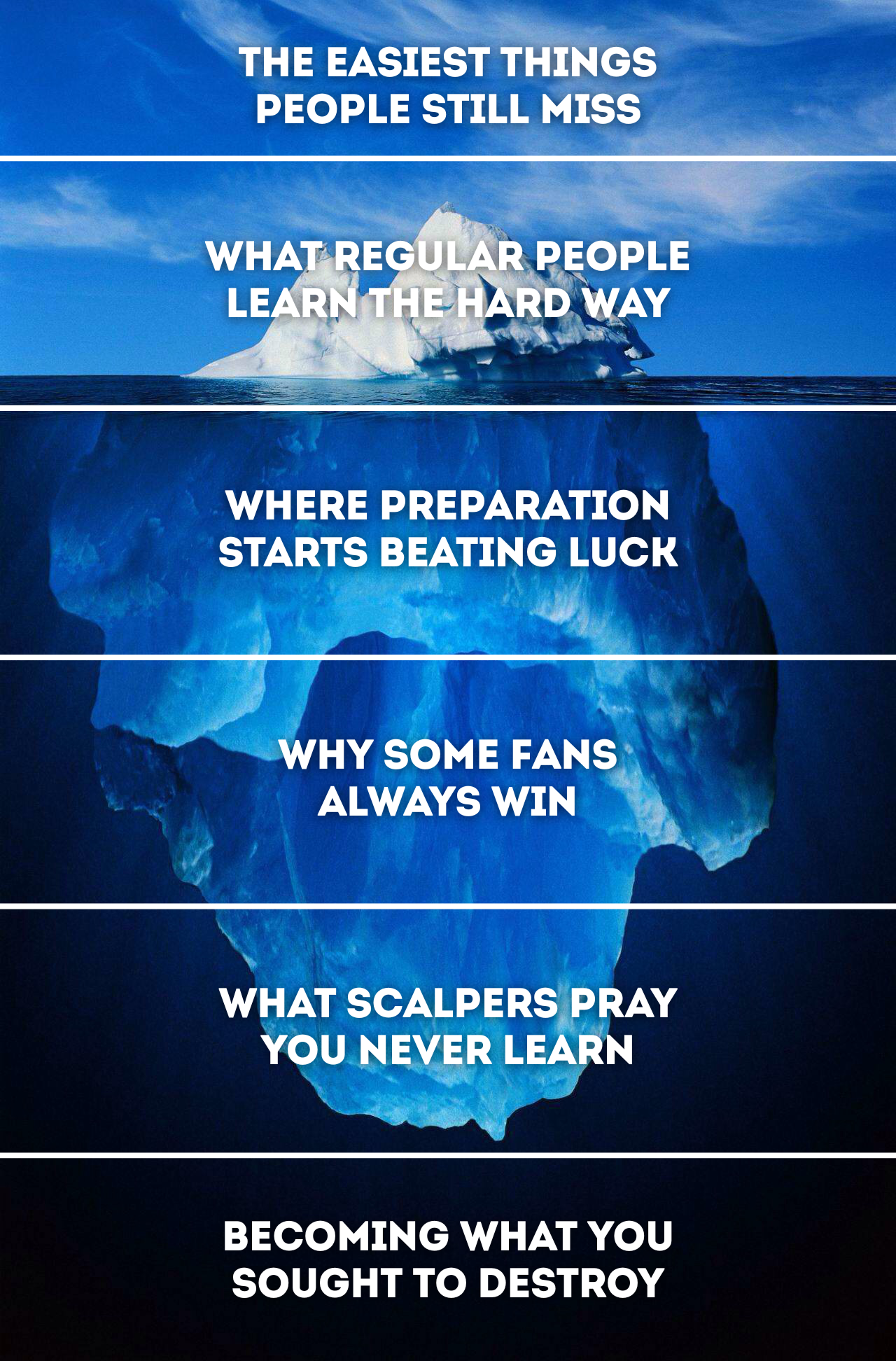
The guide has been structured in the form of an iceberg. You might have seen this format used before in memes or videos. They’re used as a visual metaphor to rank topics from common knowledge (the surface) down to increasingly niche or obscure details (the depths).
In the context of Ticketmaster, each level of the iceberg shows different degrees of understanding. At the surface are the basics that everyone knows (and still loses with). As you descend, you learn more and more tactics and behaviors that give buyers an advantage. The further down you go, the stronger your chances of winning the war.
To be definitive means to include the basics
Yes, some of these earlier tips are going to feel painfully obvious. But remember, this is a numbers game. In every presale, there will be people losing the battle at every level of the iceberg. Each bit of advice you can absorb puts you ahead of more and more people. The key to winning is arming yourself with the preparation and knowledge to beat out not only your fellow queue combatants but Ticketmaster itself.
I made this guide as resource-rich as possible to help you get tickets. I'm not simplifying it for clicks or convenience because the reality of ticket buying is messy. Understanding that mess is the first major advantage.
That also means it'll be a lot of information at once. If you get to a point where you think, "I don't want to think this hard about concert tickets," that's probably your exit point. Use this as a reference for when you feel like you've been losing out on tickets more than you'd like.
Last thing: the rules of war constantly evolve. If these tips change, or if I learn anything new, I’ll update this document accordingly. If you have any of your own tips, feel free to leave a comment or reach me on Instagram @facevalueto, and I can update.
Now, let's bundle up and jump into the first level of the iceberg.

Level 1
The Easiest Things People Still Miss
Create your account ahead of time
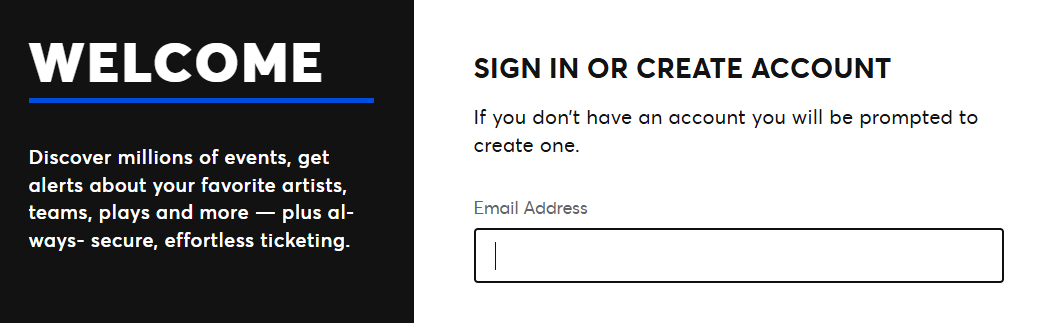
Your account needs to be made and ready to go well before the onsale. If you don't already have an account and wait until the last minute, you're setting yourself up for failure, as you're bound to hit a snag somewhere in the process. You would also be unable to participate in most artist presales, as they require you to register at least a day before the sale. Make your account by visiting ticketmaster.com or by downloading the app and registering.
Set up your account properly
Register using an email and phone number that you have access to. Your Ticketmaster account is tied to your phone number, and you will need to have quick access to it during presales. Some queues require you to confirm your account by sending a code to your phone. Make sure your email and phone number are both verified and that you're in the correct country/region. Log out and log back in to ensure your credentials work.
Keep your info up to date
Recently moved? Changed phone numbers? Switched credit cards? Check to see that everything is up to date on your account.
Set up your payment information
There will be more advanced tips further down the iceberg, but for now, let's keep it simple: pre-save your credit card or other payment method. I wouldn't recommend PayPal here, as that will take more clicks to process. Every click and every second counts for some sales. Check that your billing address matches your card so that Ticketmaster doesn't throw you an error.
Memorize your CVV
If there's one piece of information you'll probably have to type out in the panic of a ticket purchase, it's your credit card's CVV. Even some autofills won’t populate this field, and you’ll have to manually type it out each time. Make sure you know this number like the back of your hand. Better yet, have the physical card next to you before you checkout and reserve the mental bandwidth for answering the real questions, like whether you really want to spend $850 on that VIP add-on...
Sign up for the earliest possible presale
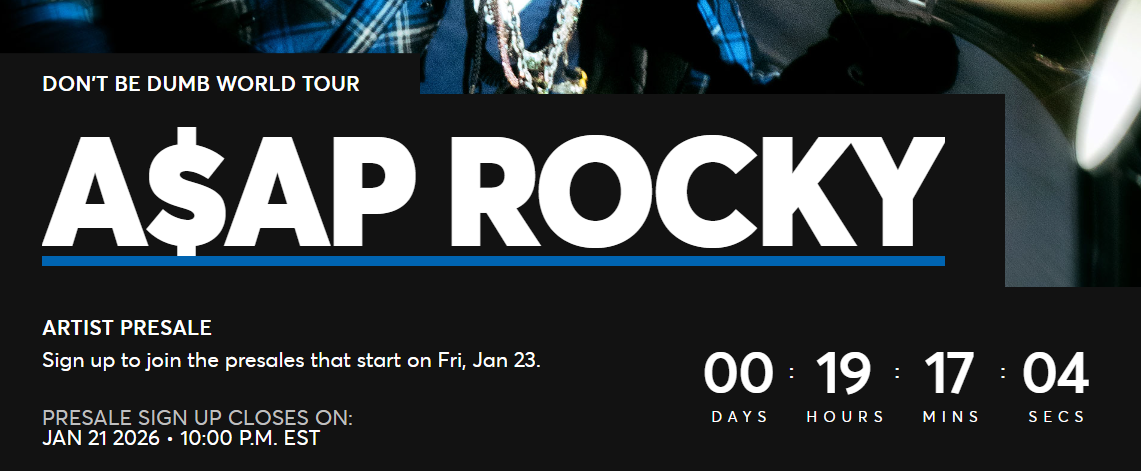
As soon as you hear about the tour, look for a sign-up link to the presale. Generally, the artist will tell fans where to find it in the tour announcement post (e.g., “Sign up link in my bio”). Follow the instructions to sign up, and note down when the presale will take place. Once you get the presale code, copy it to your phone/computer right before the sale so you can quickly paste it in when prompted.
Log into your account
It seems obvious, but Ticketmaster will randomly force you to re-login all the time. The last thing you want is for 10 AM to hit, you try to cart the perfect tickets, and you lose them because it decided you're now a stranger. C'mon Ticketmaster, after all we've been through?

Level 2
What Regular People Learn the Hard Way
Have your information saved to Autofill
The last thing you want after carting tickets is to be stuck manually entering fields on the checkout page. Thankfully, in today’s Ticketmaster, there aren’t many fields to enter on the checkout page, but you could find yourself in a situation where you’ll wish you had it. The autofill feature allows you to pre-enter commonly used information like your address, phone number, email, and credit card details, and have it automatically entered when your device thinks it’s on a page where that information is being requested.
Setting up Autofill
Autofill information is saved to either your Google or Apple account.
Google:
Open Chrome and go to Settings > Password and Autofill.
Apple:
Go to Safari > Settings > AutoFill.
It’s up to you which information you want saved to autofill. I would recommend at least your credit card or primary payment method, as that’s typically the hardest to memorize. To use autofill, you just select the field, and you should either see it automatically fill or show a pop-up suggesting autofill. I would recommend practicing before a stressful presale to make sure it works as expected.
If you already have autofill set up, this would be a good time to review yours and clean out any old addresses, expired cards, or any other outdated information.
Find as many presale codes as possible
When a tour gets announced, you’ll often have multiple presales. The artist presale is the most common one. This is the one where you usually go to the artist’s website or a seated.link URL, type in your information, and sign up to be informed before the sale starts. In this case, the artist will send you a text or email containing your presale code.
Sometimes there will be venue or platform-specific ones like Live Nation, Spotify, or Rogers Stadium presale. These will often use generic codes that work for multiple concerts. Since there can be so many different presale types, a good rule of thumb would be to Google each one and see if you can find a recent post mentioning what the code is. Check the event page to see which presales the concert will have.
If you’re going into a presale that has two or more of these in play, you will want to write them down in your Notes app so you can quickly copy and paste them as needed. Note that refreshing will make you re-enter any of the codes you used.
Set an alarm for 20 minutes before the presale
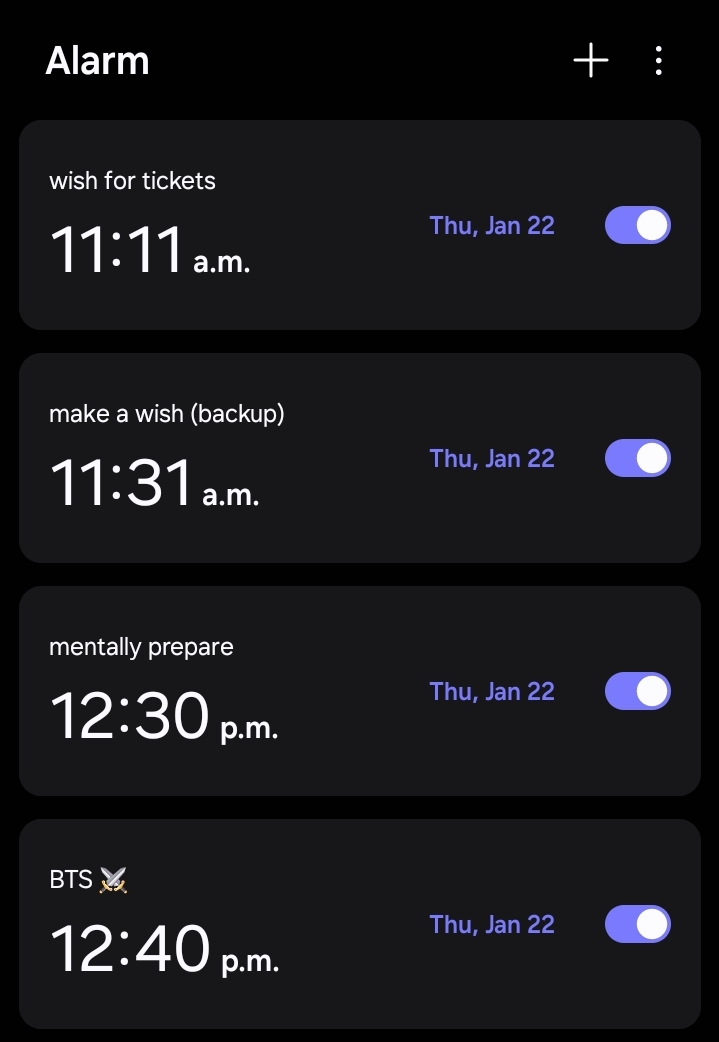
Around 15-30 minutes before a presale, a waiting room will open up on Ticketmaster. This is where you can chill before the sale starts. You’ll want to join the waiting room or (if there isn’t one) be ready for the sale at least 15 minutes before it starts. This gives you time to get your bearings straight, lock in with friends, and mentally prepare. To avoid being the person who overslept the presale and missed out on tickets, set the alarm as soon as you know when the presale is going to be. If it’s at 10:00 AM, open your clock app and make an alarm for 9:40 AM and name it after the artist.
Have a reliable internet connection
Losing connection, even for a moment, could be the difference between getting the tickets and facing a Sold Out screen. Whichever connection type is most reliable for you – whether it be Ethernet, Wi-Fi, 4G, 5G, or going to a café – make sure you’re set up with the best internet connection possible ahead of the presale.
Your queue spot is random*
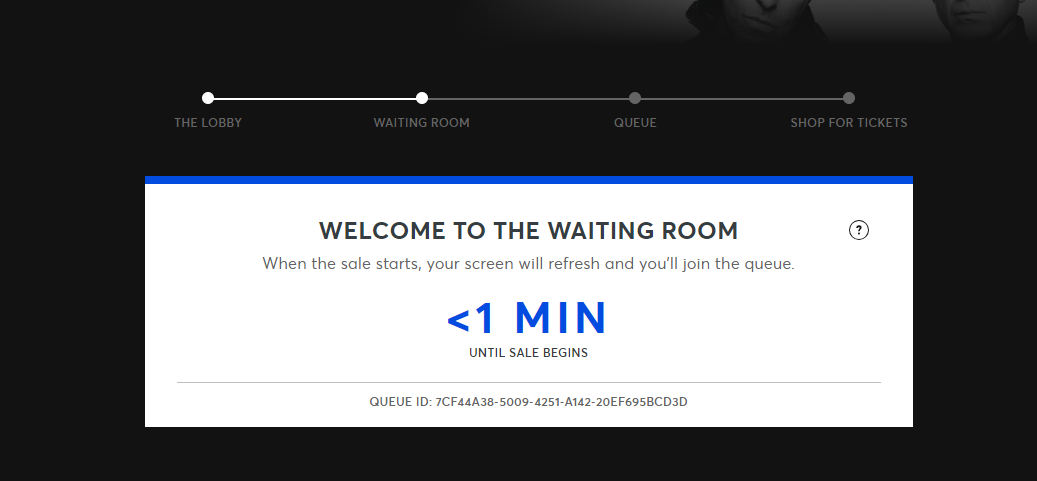
A common misconception is that it matters when you join the waiting room: this is false. Your odds of getting a good queue position don’t change if you enter 2 hours before the sale or 2 seconds before. As long as you are in the waiting room before the sale begins, you will have the same chances of getting in faster. Everyone who joins the waiting room gets shuffled and assigned a random number. Well, it's not actually random, but we'll get to that further down the iceberg.
Don't refresh in the waiting room
It doesn't move you closer in line, and it can flag your account as a bot if you do it too much.
Stop being baited by speculative resale
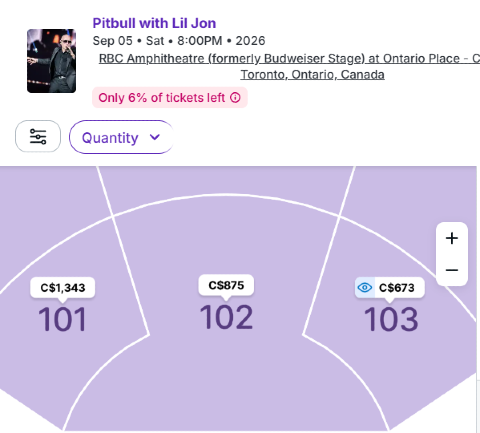
Whenever a major concert is announced, without fail, you will always have people freaking out about tickets “already on sale” then sharing a screenshot of StubHub. Some will take the bait and go buy these tickets; some will treat the listed prices as official. The whole thing always ends up a mess.
Here’s what to know: those aren’t “real” tickets; they’re speculative tickets where the buyer is betting that they can get you those tickets when they actually go on sale. They will always be a bad deal because nobody is going to sell them for anything less than profitable for them. Ignore these and wait for the official sale to start. Check the event page for the on-sale dates.
Close background apps to maximize device performance
You don’t want to deal with performance issues in the middle of a stressful presale. Whether you’re on a computer or mobile, close any unnecessary tabs, apps, or programs so you can give your undivided attention to the presale. Closing them will boost your device’s performance and make it smoother for you.
Some presale codes are account-locked
Not all codes are created equal. Sometimes an artist presale code will be generic (one code that anyone can use). Sometimes they’ll be unique and account-specific (only you can use it). Sometimes they’ll be unique but not account-specific. In these cases, it’s good to coordinate with friends who also sign up so you can share codes with one another. Ticket sales can get buggy, and your code could stop working for whatever reason, so you can use a friend’s in those cases to get you back in.
Make sure you have the funds
Ensure you have the money on your payment method ahead of time. This can be tricky, especially if you don’t know prices ahead of time or you’re buying multiple tickets at once. As a rule of thumb, I like to have at least double the worst-case scenario cost loaded up.
Have your phone by you
Ticketmaster can make you re-verify at every step of the ticket-buying process. It can happen when you register for presale, when you join or rejoin the waiting room, and even when you're checking out. I wouldn't be surprised if they send me a 6-digit code to check if I'm breathing.
You'll also sometimes have artists send you presale info through SMS. Some could be delayed and sent after the presale has already started. It's best to keep your phone within view so you can see these notifications as they come up.

Level 3
Where Preparation Starts Beating Luck
Zoom out and look at the big picture for the sale
There is a wealth of knowledge to gain from researching a tour. Knowing the venue capacity, how big it is compared to their last time in the city, how long it's been since then, how much their popularity and demand have changed since then, and how likely added dates are – this is just scratching the surface of what you can learn.
The point is, knowing these factors will help you make better decisions when buying tickets. If an artist is playing a venue that's way too big for them, wait for prices to drop. If they have a bunch of gaps in their scheduling between cities, take it as a sign that more dates are coming and to wait until after the presale. This is the premise behind my Presale Breakdown posts. Read a couple of those to develop a sense of how to do the research. Alternatively, stay subscribed here and let me handle it for you. 🙂
 Dima
Dima
One of the more extensive breakdowns I've done
Know the difference between ticket types
It feels like every month there’s a new ticket label you’ll see on sale, often with confusing and conflicting messaging since they’re not properly explained anywhere. I’ll use this space to succinctly explain each one:
- Standard Ticket: your baseline, typical blue dot ticket. These can still be misleading; they can be partially obstructed, have limited legroom, or have any number of additional details. Check the ticket description to know what you’re getting
- Standard Ticket - Wheelchair Accessible: Standard tickets that are reserved for those with accessibility needs
- Artist Presale: tickets that become visible after entering an artist presale code, usually the same price as Standard
- Other Presale Tickets: will be named after whichever presale you’re entering (Ticketmaster, Spotify, etc.)
- Official Platinum: the most common dynamically priced ticket you’ll see, priced for people who don’t care about cost
- Verified Resale Ticket: pink dots. Tickets that are listed and priced by someone else using Ticketmaster. These can go under face value in very limited circumstances (has to be enabled by Ticketmaster). Usually, the seller is prevented from pricing their tickets below face value
- Front Of The Line Amex Reserved Ticket: anybody can add these to their cart. You just need to pay using an Amex card in order to checkout with them
- VIP: concert-specific VIP packages marked with a yellow dot and a star in it. Usually the most expensive ticket options. You can see what each VIP package comes with by clicking the ‘i’ icon. Sometimes, VIP tickets are found in a separate event listing
- Limited View/Obstructed View: you won’t have a complete view of the performance. These are usually priced lower to reflect the lower quality
- Aisle Seating: tickets that are priced at a premium because they are immediately next to an aisle. Most concerts won’t have this
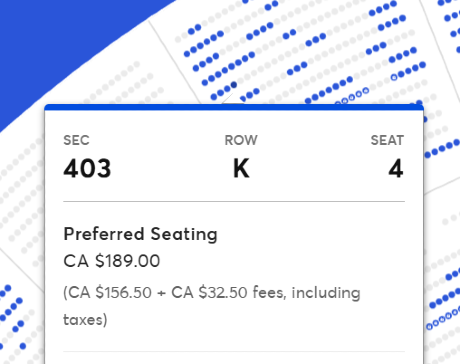
- Preferred Seating: a completely meaningless indicator. Normal seats that were given a fancy name to make you pay more
Price changes happen silently
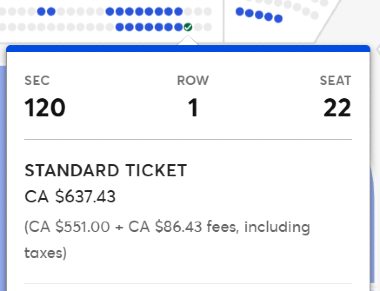
Prices can feel especially muddy nowadays. In waiting rooms for big shows, you’ll sometimes see a Ticketmaster notice displaying a price range, and then you get in and the low-end tickets are nowhere to be seen, while the high-end tickets are even more expensive than advertised. The ambiguity of prices works in Ticketmaster’s favour to get you to spend more. Price manipulation happens discreetly with Standard Tickets. Close to showtime, you’ll find the prices of these tickets could drop, even multiple times. A telltale sign that Standard Ticket prices are being changed is when they end with random cent values, like $442.27.
Treat the first presale like it's your only chance
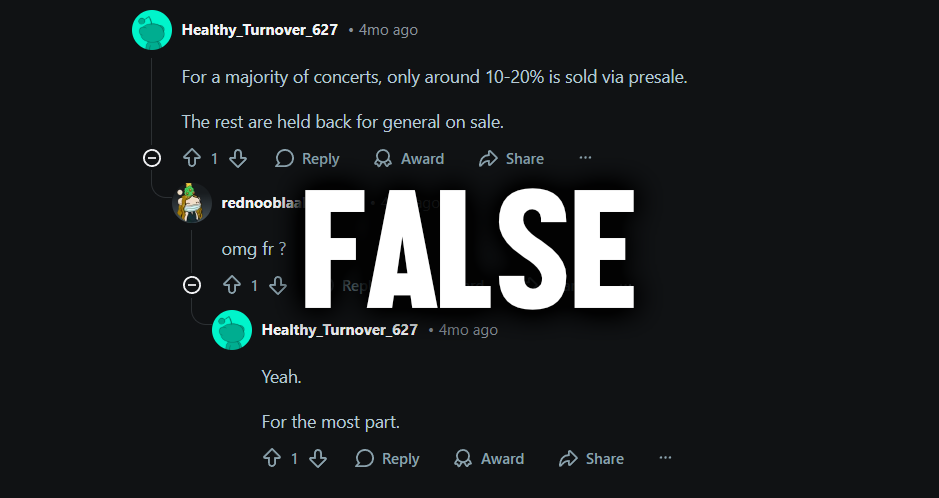
I often see people say, “Don’t worry, there will be more in the general sale,” only to be disappointed when there’s nothing left. It’s never been made clear how many tickets are reserved for different sales. The first artist presale will basically have the entire available inventory and should be treated as your best chance.
Have multiple payment methods ready to go
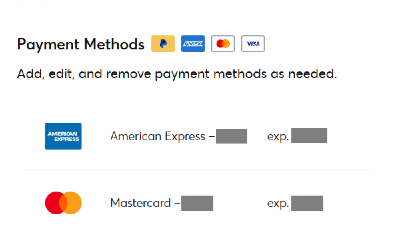
As a fail-safe, it’s good practice to have different payment methods set up with funds added. However many you add, make sure each is saved to your autofill.
Ticketmaster prioritizes mobile sales
Since scalping bots don’t work on mobile, your chances of getting tickets are higher on mobile. A computer does have the performance advantage of being quicker to browse tickets and checkout. Since Ticketmaster can recognize the device you’re on, it’s in your best interest to choose accordingly.
Make sure your main payment method doesn’t require additional confirmation
I’ve lost multiple tickets by trying to pay with a card that forced me to enter a 6-digit code from my phone. Every second matters, and waiting for a code and punching it in is 10 to 30 seconds that can easily be saved by using a different card or payment method.
Have a plan for which sections you'll target
Your window of opportunity when getting through the queue could be small. You’ll need to plan ahead and be able to execute quickly with intention. To do this, open the Ticketmaster page for a different concert at the same venue, preferably one with plenty of tickets still available, and put together a small list of the areas you want to buy tickets for. Get a general sense of the relative cost difference between those areas and then rank them in order of priority. If you’re having other people help you, share that priority list with them. If tickets aren’t available for your #1 choice, be ready to accept #2 and so on. Use aviewfrommyseat.com to get a sense of what different sections look like.
Set a budget
You want to have a reasonable budget for how much you expect to pay for tickets. It’s up to you how flexible you want to be (e.g., your budget is $250 but the ticket you want is $255). Try to avoid FOMOing into tickets if they’re outside of your budget. Before you buy, ask yourself: will this be the cheapest a ticket like this will go for, from now all the way until showtime?
Your psychological mindset defines your decisions
If you’re high-strung and thinking that you won’t survive if you can’t get tickets during presale, that’s going to reflect in your ticket purchasing decisions. You’ll be prone to buying overpriced Platinum tickets and paying double or more than you were anticipating. You don’t want to be left feeling ashamed when you see the next batch of tickets pop up. Be wary of the sunk-cost fallacy or the “just get anything” mindset. Remember that artists will come back, especially when the demand is there for them. Try to put yourself in a more relaxed, focused mental state before presale.

Level 4
Why Some Fans Always Win
Don't lose hope too early
This is a tip that will immediately put you ahead of thousands in the queue, even those who got in before you. Many will see zero blue dots, give up, and close the page. People’s carts could run out, forcing tickets back in stock. Ticketmaster could drip-release inventory, adding new rows. They will manipulate inventory to force people to make decisions, but that will no longer work on you. You will exercise patience and learn to beat the FOMO. Keep the page open and watch.
Sometimes the countdown ends, and you refresh only to see "The Next Sale Will Begin on..." Refresh (sparingly). Tickets could be added shortly after the timer ends.
Coordinate with friends and family to increase your chances
You want to assemble a super team of friends or family. Each person who knows how to play the queue is a flat multiplier on your chances of getting the tickets you want. As a bare minimum, make sure each person has their Ticketmaster account set up and is registered for the presale (Level 1). Coordinate by sharing exactly what your priority order, budget, and target number of tickets are. Jump on a call together for the fastest communication. This will hinge on your communication skills with your group, and you will get better at it with more practice.
In tense sales, pick the second-best choice
Have you ever been in this situation: you make it through the queue and see blue dots rapidly vanishing? You hone in on the best tickets left and try carting them. You’re greeted with a “These tickets are no longer available” pop-up, then panic to add the next best tickets. The same thing happens. In those cases, if there are multiple options, just pick the second-best one.
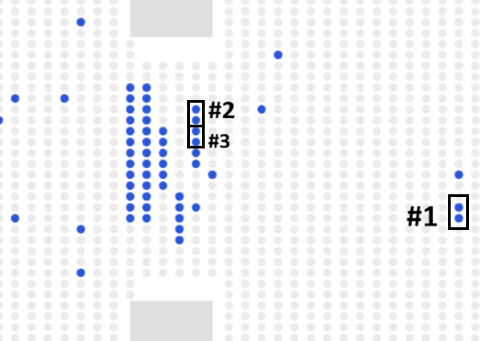
You can add tickets to your cart and still return to the tickets page
Here’s a hot tip that some won’t want me to share: on your computer, you can add tickets to your cart, Ctrl + Click the back button when on the checkout page, and continue to browse tickets while keeping the other ones in your cart. This lets you shop for different sets of tickets at the same time, checking out only the ones you need. As far as I know, there isn’t really a limit on how many times you can do this, so take advantage of it to lower the urgency of a sale. There isn’t currently a method to do this on mobile.
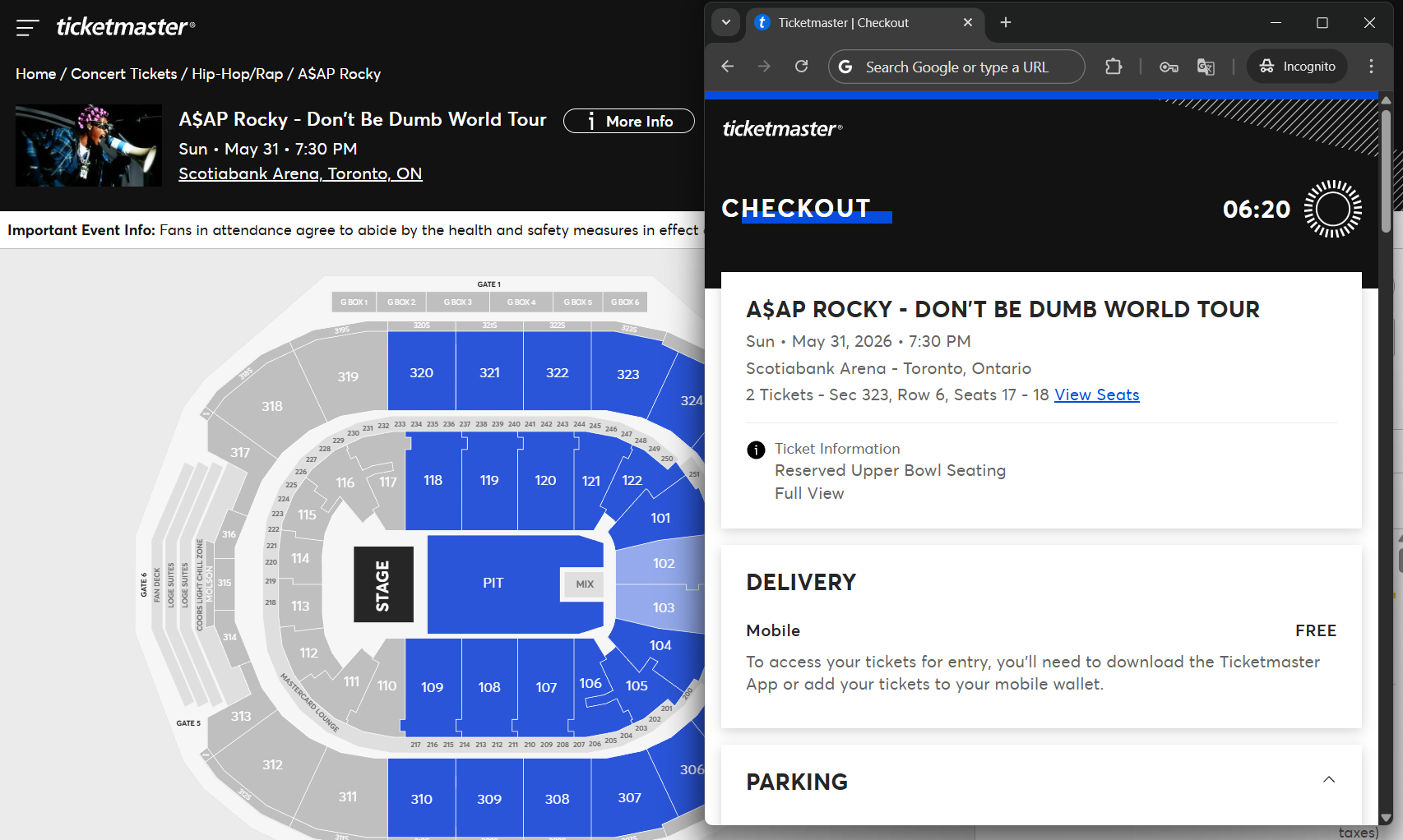
Know how to game multiple-night runs
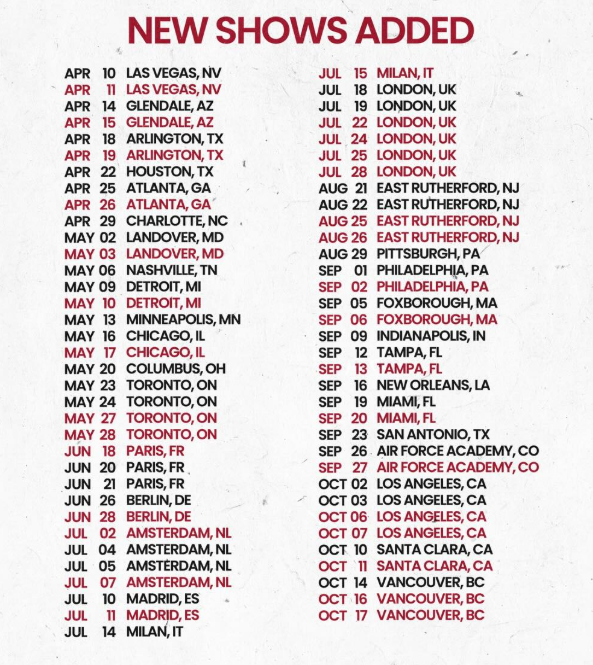
One of the most powerful tools in Ticketmaster’s FOMO arsenal is the prospect of added dates. Artists will always have each date for a venue booked out in advance, so when two shows go on sale and then three more nights are added over the next few days, know that was the plan all along (looking at you, Bruno).
If you can determine when there’s a high chance of added dates, you can walk into the first presale calm and with the plan of seeing which seats you want and how much they cost. If they sell out before you get them, you can rest a little easier with the confidence that there will be more dates. A good way to tell whether there will be more dates is to look at the full tour dates for the artist. See if there’s space in their schedule for shows to be added. Pay attention to major stops like New York, LA, Chicago, Toronto, and London. Those will be the cities most likely to add dates.
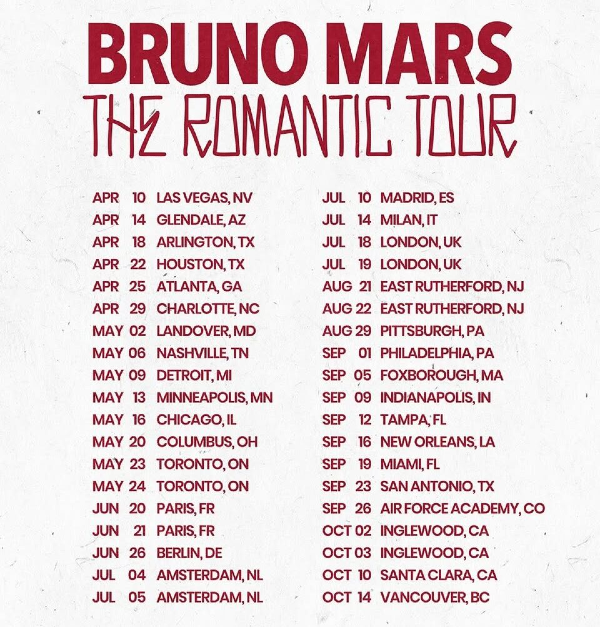
Here's how Bruno Mars' dates looked upon announcement. Notice the gaps between each city. Notice how each leg of the tour starts and ends with a major city. There is a month between Toronto and Paris, and between London and New Jersey (NYC's market). The new dates were already set in stone well in advance. I called this in my Presale Breakdown before a single show was added.
Befriend those with fan club access
Some artists will have a paid fan club membership with ticket access before everyone else. I’ve seen it with BTS, Avenged Sevenfold, and Linkin Park, though I’m sure there are more. If you can afford to buy the membership, you’ll guarantee the best chances at tickets. If not, you could try to make friends with someone who does and have them get tickets for you. Just be sure to buy them a drink if you go to the show with them!
If there's no waiting room, refresh right on time
For shows that don't use a waiting room and just have the countdown timer, you will want to refresh or reopen the ticket page as soon as the timer hits zero, maybe even a second or two before to account for loading times. These shows are slower to auto-refresh (in many cases, Ticketmaster won't auto-refresh it at all), so you'll want to be ahead of it.
Refresh sparingly and don't spam click tickets
Ticketmaster's bot detection has been getting more cutthroat lately. They will softban your account (lock you out of buying tickets) if you refresh too many times or try adding the same tickets to your cart over and over. You’ll want to avoid refreshing unless absolutely necessary. If you get an error after trying to cart tickets more than once, you’re better off treating those tickets as unavailable.
Learn the ways to “soft” refresh
Instead of hard refreshing, there are a number of tricks you can use to force Ticketmaster to refresh tickets without raising flags for their bot detection.

Map and List views can be deceiving
You’ll often see a mismatch between tickets across the two views. Some will show on the map but not in the list, and vice versa. Try to use both views when picking tickets. If they’re only showing in one, that could be a sign that they won’t last long.
Click the grey box
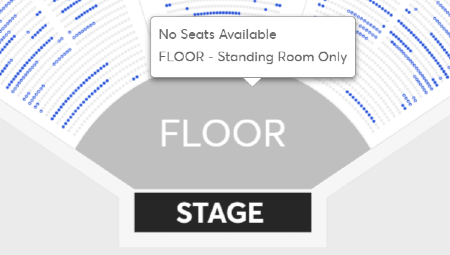
Tickets in GA areas (Floor, Lawn, etc.) won’t show up as blue dots but rather as a blue box indicating the space. When it turns grey, that doesn’t necessarily mean it’s sold out. Click on the section and see if a pop-up appears allowing you to add them to your cart. I would say a good 30% of the GA tickets I’ve gotten so far were carted like this. Many will see grey and assume it’s sold out, but not you anymore.
Go to the box office
Sometimes, the best way to beat the system is to try it the old-fashioned way. I’ve heard success stories of fans lining up for hours at the box office on show day and walking in with amazing tickets for face value. You won’t get much information on what’s available until you wait in line, so there is the risk of wasting hours, but just know that the box office does work. Plus, you might get a hard copy ticket as a souvenir!
Be ready to only get 1 ticket
If you’re working to get tickets with friends and carting 2+ isn’t working, but 1 is, just take the single. Not only will it allow your group to focus their efforts on securing fewer tickets, but since many others will be shopping for pairs, it’ll be easier to find single tickets after the sale. If you’re looking to get multiple seats in a row but end up with a bunch of scattered singles, you could sell them and use the funds to buy a consecutive group.
Be ready to walk away entirely
It can be the hardest pill to swallow in a tense presale. You could walk in with a plan and see every seat you wanted out of stock. When that happens, sometimes the best course of action is to just let it be. Sticking to your guns will benefit you in the long run as you develop a tolerance for patience. The Ticketmaster War is a brutal one that preys on your emotions and wants you to overspend. Don’t let it beat you. You have time before concert day, and you will find a way to make it work.

Level 5
What Scalpers Pray You Never Learn
Calm down.
Ticketmaster and scalpers prey on your heightened emotions to make the biggest buck. That’s why resale prices will always be at their highest before presale (when nobody has had access to tickets) or immediately after.
As an exercise, open the StubHub page for a major show during its presale (try for a show you have zero emotional stakes in). Look at the prices before the sale starts, then refresh every 5 minutes during the presale. Once the show starts looking sold out and that uneasy feeling of FOMO starts kicking in, check StubHub again. Then check again every 10 minutes, then a few hours, and a few days after. You’ll see the same pattern time and time again as the resale price stabilizes.
Sellers panic too. You can destroy them at their own resale game
Added dates are especially a reseller's nightmare. Overnight, the supply for a concert can double or triple, forcing them to panic and sell at face value to safeguard against a loss. Ever wonder why so many people online seem to end up with “extra” tickets when that happens?
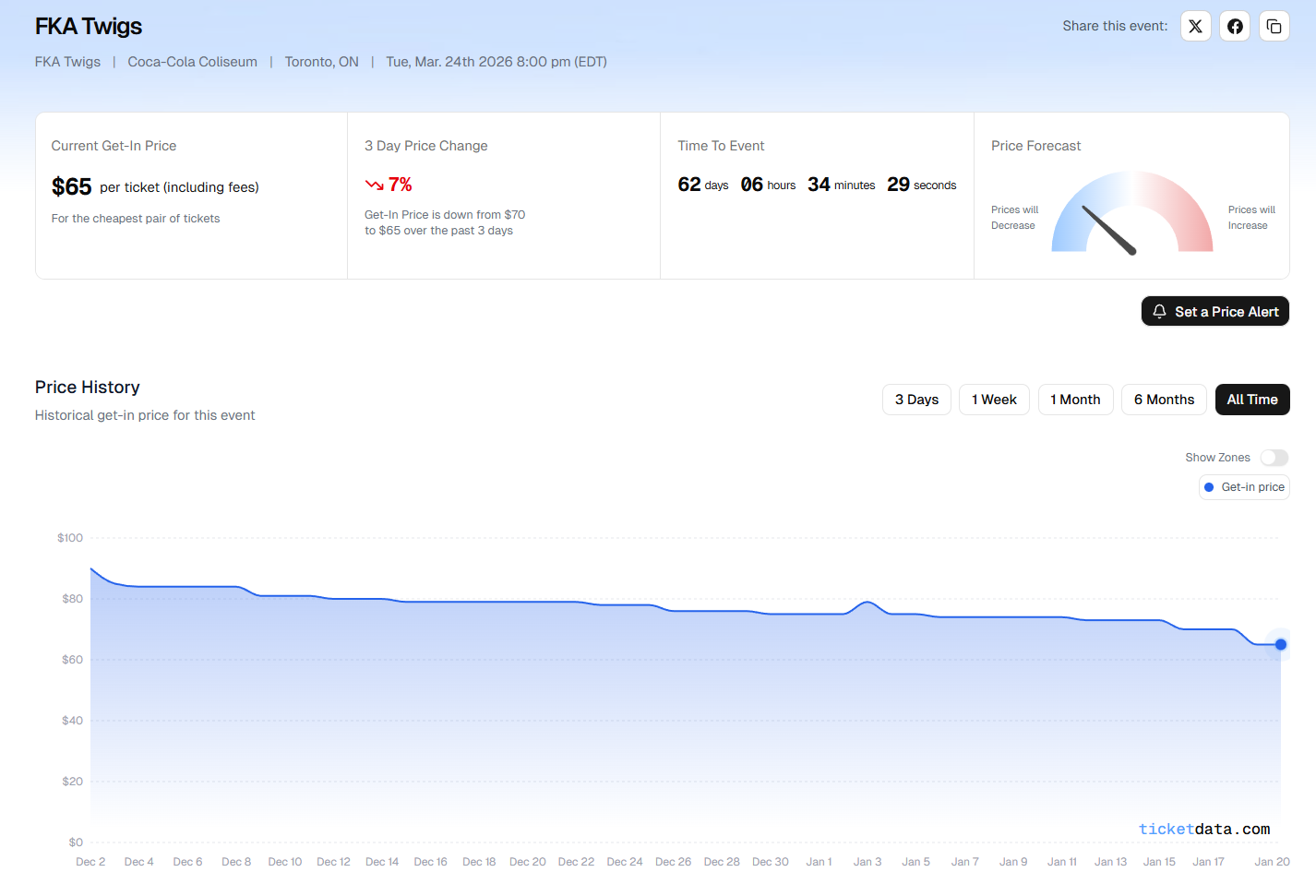
If you can stay a step ahead of scalpers by having a better pulse on an artist's pull, you can win the Ticketmaster War without ever stepping foot on the ticket page. Scope out platforms like StubHub or TickPick for tickets that fall under face value, especially as the concert day gets closer. You can track how well a show is selling using ticketdata.com. I’ve also had luck by setting up Distill to send me alerts when tickets fall under a specified threshold.
Get an Amex card
Amex cards give you access to Front Of The Line presale tickets, often before any other presale takes place. I’m surprised to still see this misconception, but you don’t need a Gold or Platinum Amex card to access the benefit. You can use any Amex card, including the no annual fee Green Card. Beyond first dibs on tickets, it also gives you other benefits like skipping the line at select venues as well as lounge access. You can sign up for a card using this link.
Find the people in your circle with “Golden Ticket” queue luck
Remember in Level 2 when I said that your queue position is random? Well, that’s not exactly true. It’s been found that Ticketmaster can like to play favourites. This is why you’ll see some people in your circle that seem to always get good queues. Try to identify who in your group has the best queue luck by noting down queue positions across various presales. Have them buy the tickets for the most competitive shows. It’s not clear exactly how long this “Golden Ticket” flag lasts when Ticketmaster gives it to you, so take advantage of it when you start to notice a hot streak in queue luck.
Learn how to maneuver softbans
Well, you hoped it wouldn’t happen to you, but then it did: you got the dreaded "Your Browsing Activity Has Been Paused" screen.
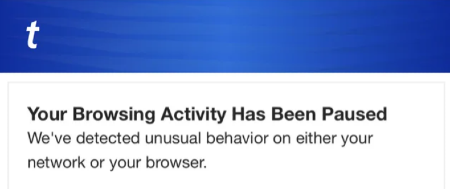
There are a number of ways I’ve found to get past this error. Any number of these could work:
- Switching to Wi-Fi if using data, or switching to data if using Wi-Fi
- Switching between phone, computer, or any other device
- Disabling VPN if you’re using one
- Turning off Private Relay if on iOS
- Physically moving to a different location, away from your home or wherever you’re trying
- Resetting your cache and cookies
- Opening Ticketmaster in incognito/private mode (this has been reliably working for me after everything else above stopped working)
- If you only get the error once on the checkout page, copy the full URL and open it in an incognito tab
- Waiting. This is often a temporary marker that’s put on your account and could go away the next day
- Have someone else buy the tickets
Some sales allow you to enter the queue on multiple devices
It’s not clear ahead of time which will allow for this, but you can try opening Ticketmaster on different devices at the same time, and even just different browsers on the same device (Chrome, Safari, Edge). If you get a pop-up making you choose between the original device and joining at the back of the queue, then it won’t be possible for that show. If, however, it lets you into the waiting room on both devices, then you should be okay.
Tickets without a timer are not on hold
For this one, you won’t be able to tell until you’re on the checkout page. If you see a timer in the upper corner, your tickets are safe, and you have that much time to buy them; otherwise, they will be released for someone else to get. If there isn’t a timer, it means your tickets are not locked down, and someone could buy them before you. I’ve seen this happen with last-minute ticket drops, but it could happen in other scenarios.

The inventory you see on Ticketmaster is a lie
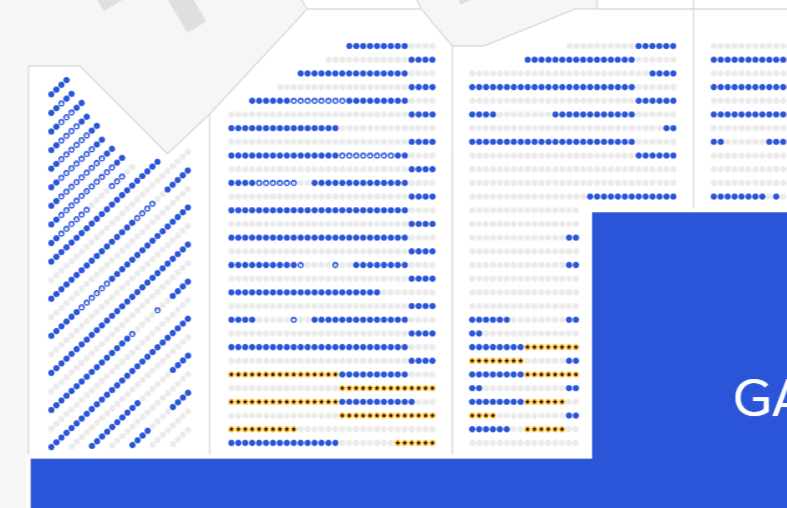
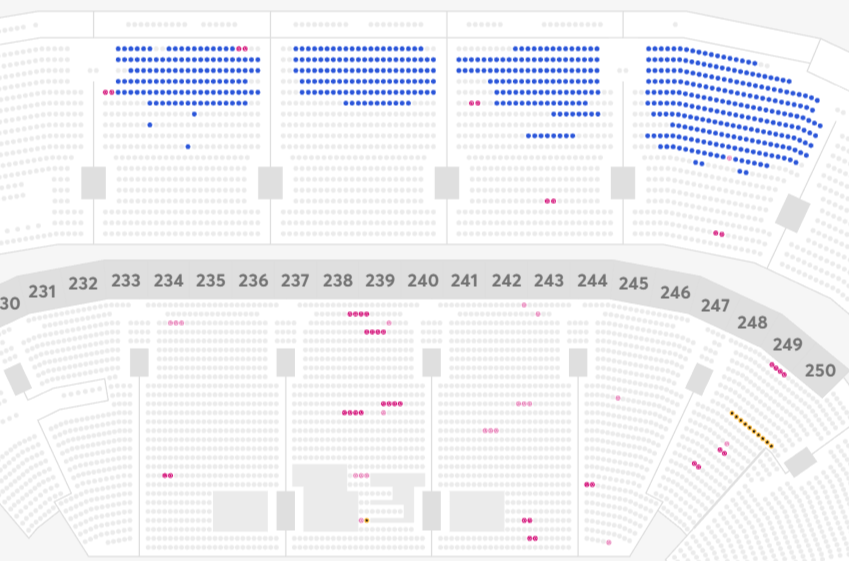
Ticketmaster is in control of how many tickets it makes visible in a given sale. When you see the map with all its blue and pink dots, don’t assume that it’s an accurate representation of how many tickets are truly left. There’s a lot of “invisible” inventory with every concert. Some get reserved for specific groups or businesses, some for production holds, and some are held back by Ticketmaster to make the show look more sold out than it really is. If you see entire blue rows alternating with grey ones, that’s exactly what’s happening.
These are tactics used by Ticketmaster to nudge you towards the tickets it wants you to buy. For example, seats in the 300s being turned off at Scotiabank Arena to push you to buy the pricier seats in the 100s. Learning to spot when this happens is crucial to differentiating a show with substantial demand from one that Ticketmaster is blowing smoke on. There are a number of different methods they use, enough to constitute a separate blog post. A simple takeaway here would be this: if you see the “blue stripes” pattern, assume that prices will likely fall.
Subscribe to FaceValue
This may seem like a shameless plug, but wanting to win the Ticketmaster War is what led me to create FaceValue. Most major concerts don’t even require you to participate in the battle. You can secure the tickets you want not by playing the presale, but by playing Ticketmaster itself. By identifying ahead of time which concerts are overhyped or being propped up by artificial demand, you can make the call to Wait on sales and buy closer to showtime – saving yourself hundreds of dollars in the process. Subscribing and staying up to date with FaceValue is the missing key that FOMO-driven promoters don’t want you to hold.

Level 6
Becoming What You Sought to Destroy
Let's talk ethics
There comes a time in every concert lover's life when their desire to get sought-after tickets forces them into a deep ethical dilemma. This is where your desire to have concert tickets and your humanity part ways. These are the tips that essentially turn you into a bot, scalper, or even a criminal. That isn’t what I started FaceValue to be, and frankly, I’m confident you can win any sale without having to cross these lines. However, it’s at least important to be aware that this ugly underbelly exists.
The bottom
And with that, we’ve reached the very bottom of the “Winning the Ticketmaster War” iceberg. We’ve come a long way. So, like any deep-sea diver, we must take care to depressurize as we float back to the surface. A great way to do that would be to scroll back up and jot down 3-5 tips to arm yourself for your next ticket battle.
Remember, getting tickets is a skill, and just like any skill, most people never get past the basics. Every tip you can adopt puts you closer to the winner's circle. Now get out there and secure those tickets.